Google Reviews in Singapore: How to Get More, the Right Way
To get more Google reviews, ask every customer when the job is done, send your direct review link on WhatsApp the same day, and reply to every review that comes in. Never pay for reviews, offer a discount for them, or ask only the customers you know are happy. Google removes those reviews, and Singapore's consumer watchdog has acted against businesses that faked theirs. Done honestly, reviews lift your local ranking and win the click. Here is the whole loop, plus a free message builder.
Why do Google reviews matter for a Singapore SME?
Google ranks local results on three things: relevance, distance and prominence, as its own local ranking help page explains. Relevance is how well your profile matches the search, and distance you cannot change. Prominence is how well known you are. Google says it draws partly on how many reviews you have, and that more reviews and positive ratings can help your local ranking.
Reviews then do a second job: they decide the click. Someone comparing three aircon servicing companies in the map pack reads the stars, then the latest few reviews, then the owner's replies. Our guide to local SEO in Singapore covers the rest of what moves the map, and if your profile itself is not set up properly yet, start with our Google Business Profile setup guide.
BrightLocal's Local Consumer Review Survey 2026 found that 74% of consumers look for reviews written in the last three months, and 89% expect business owners to respond to reviews. It polled a panel of 1,002 US adults, so read it as a direction, not a Singapore figure: recent reviews matter as much as the total, and an owner who never replies looks absent.
How do you get your Google review link and QR code?
Every Business Profile has a direct link that opens the review box, plus a QR code for it. Google's help page on creating a review link or QR code sets out the steps:
- Open your Business Profile while signed in to the Google account that manages it.
- Select Read reviews, then Get more reviews.
- Copy the link with the copy icon, or right-click the QR code and save the image.
Two details catch people out. Google says the QR code can only be generated from a computer browser, not from a phone. And customers must be signed in to a Google Account to post a review, although Google notes in its tips to get more reviews that they can create one with a non-Gmail email address.
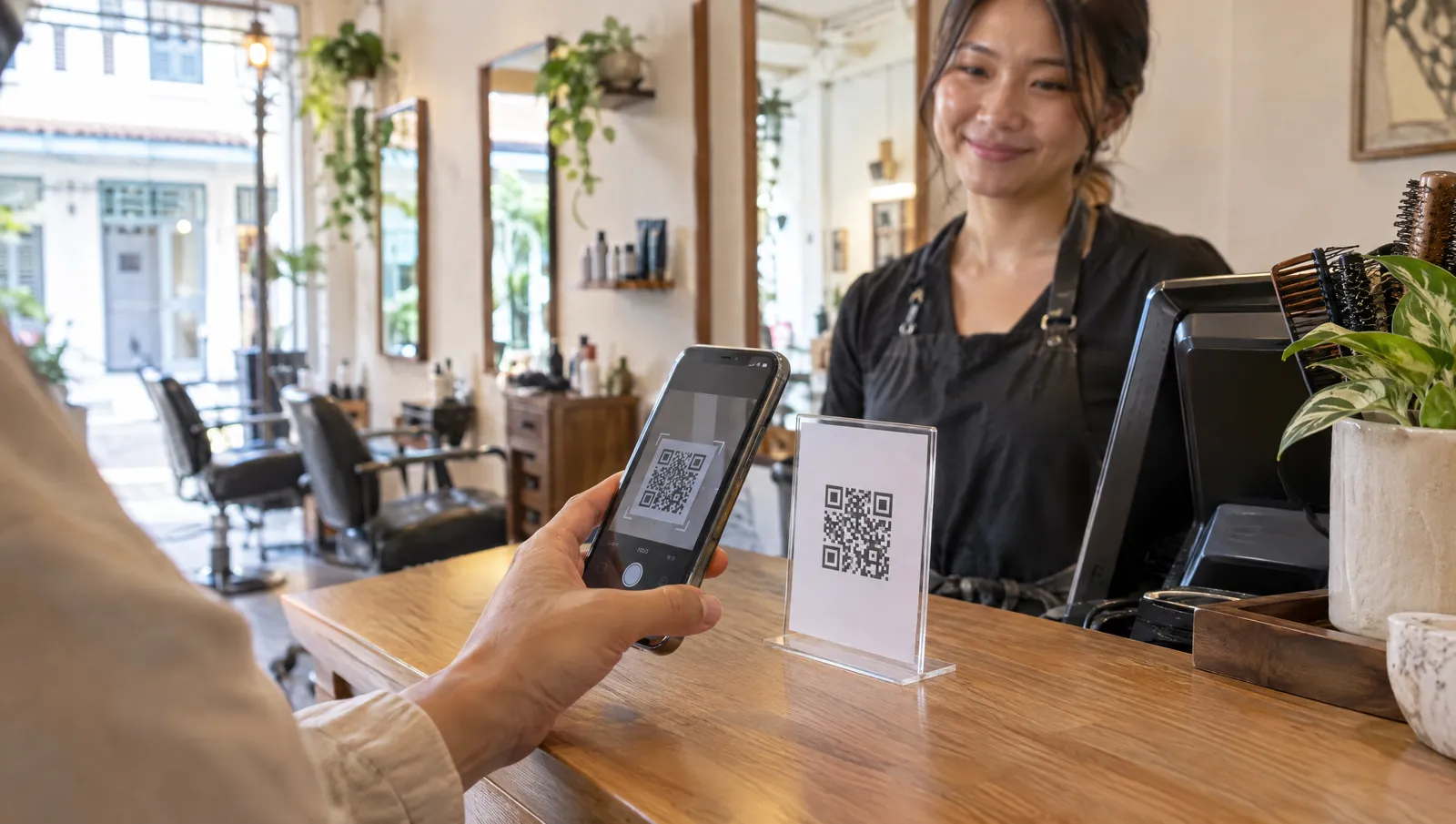
The same Google page suggests receipts, thank-you emails, the end of a chat, WhatsApp and a printed QR code in your shop. For most Singapore SMEs that means the WhatsApp message after the job, the e-invoice email and a small stand on the counter. Save the link as a quick reply in WhatsApp Business so it is always two taps away.
When and how should you ask for a review?
Ask when the job is done, while the customer still remembers it. For a contractor that is the handover: the aircon is cold again, the customer says thanks. For a shop or clinic it is the receipt, or a message the next day.
The ask works best in two parts. Say it in person: "Would you mind leaving us a Google review? I'll WhatsApp you the link." Then send the link the same day. The spoken ask gets the yes, and the message makes it easy to follow through. WhatsApp suits this for the same reason it suits enquiries, which we cover in why Singapore SMEs close more in chat.
What goes in the message:
- Their name and the actual job, so it reads like a person wrote it.
- The direct review link, not your homepage or a Maps search they have to scroll through.
- An honest request. Ask for "an honest review", never "a 5-star review".
- Nothing in return. No discount, no lucky draw entry, no free drink on the next visit.
Ask every customer, not only the ones you expect to be kind. Google's policy requires it (see below), and Google itself notes that a mix of positive and negative feedback often feels more trustworthy. If someone said yes and forgot, one gentle reminder a few days later is fair. After that, let it go.
If you would rather the ask went out without anyone having to remember it, our AI workshop session on automating the boring stuff covers follow-ups and review requests that run themselves.
Review Request Message Builder
Pick a channel, fill in the job, and copy a ready-to-send request with your review link. A built-in check flags wording that breaks Google's review rules.
Runs entirely in your browser. Nothing you type here is sent anywhere or saved.
What does Google forbid when you ask for reviews?
Google's prohibited and restricted content policy for Maps is strict on this point. A review has to reflect a genuine experience, and Google removes reviews that come from any of these:
| What some businesses do | Why Google removes it |
|---|---|
| Offer a discount, voucher, freebie or lucky draw entry for a review | Incentivised reviews are banned, and so are rewards for changing or removing a review. |
| Ask only happy customers, or send a survey first and pass only the good scores to Google | Merchants may not selectively solicit positive reviews. |
| Tell unhappy customers to message you instead of posting | Discouraging or prohibiting negative reviews is not allowed. |
| Have staff, former staff, contractors or family review the business | Reviews with a conflict of interest are prohibited, and Google lists employment, contractual and family ties as examples. |
| Give staff a review quota, or have them ask customers for specific wording | Merchants may not ask staff to collect a set number of reviews, or reviews with specific content. |
| Insist on a rating, or press the customer to post one on the spot | Merchants should not require or pressure customers to leave ratings. |
| Buy reviews, or write them yourself | Fake engagement, including reviews paid for in cash or in kind, is removed. |
So if there is a "5-star review, 10% off" sign at your counter, take it down today. It offers an incentive and asks for a positive rating in one line.
In Singapore, fake reviews are also a consumer protection matter. In June 2024 the Competition and Consumer Commission of Singapore (CCCS) announced that Loft Home Furnishing had posted fake 5-star reviews on its own website, and said that a business posting a fake review about a consumer transaction is an unfair trade practice under the Consumer Protection (Fair Trading) Act. In July 2025 CCCS acted against Quantum Globe, the company behind Lambency Detailing, which had used ChatGPT to write 5-star reviews and posted them on Sgcarmart using real customers' details, without their knowledge or consent. Both undertook to stop posting fake reviews and to remove those found. Neither case involved Google, but the principle carries over: a review must come from a real customer, in their own words.
AI can help you write the request. It must never write the review.
How should you reply to good and bad reviews?
Reply to all of them, as the owner. Google's page on managing customer reviews says the reviewer is notified when you reply, your reply appears publicly under the business name, and each reply is checked against Google's content policies before it shows.
Good reviews
Keep it short and specific. Google's own reply tips warn against sending the same "thank you" to everyone, and against using replies to push deals. Use their name, mention the job, and invite them back.
Bad reviews
Reply promptly and calmly. Google's guidance for negative reviews comes down to four points: never share the reviewer's private information or attack them, admit what actually went wrong (but not what was outside your control), apologise where it is right to, and move anything complicated to phone or email. It is tempting to quote the customer's address or invoice to prove your side. Don't.
Write the reply for the next customer as much as for this one. And the reviewer can update their review after reading it, Google notes, so a complaint you fix gets a second chance.
Can you remove a review that breaks the rules?
Only if it breaks Google's policies: spam, profanity, fake engagement, or a conflict of interest such as a former employee or a rival business reviewing you. An honest one-star review stays, and Google asks owners not to report a review just because they disagree with it or dislike it. To flag one, Google's page on reporting inappropriate reviews gives these steps:
- Open the Reviews Management Tool and confirm the Google account linked to your profile.
- Select your business, then Report a new review for removal.
- Select Report next to the review, pick the reason (for example Spam or Profanity) and submit.
Google says the evaluation typically takes several days, and you can follow the status in the same tool. If it finds no violation, you get one appeal, which can cover up to 10 reviews. Write the appeal around the specific policy the review breaks, not around how unfair it feels.
While you wait, reply anyway. A short, factual line such as "We can't find a booking under this name. Please contact us so we can look into it" protects you with readers whether the review comes down or not.
How many Google reviews do you need?
Google does not publish a target. Search your main service and area, open the three businesses in the map pack, and sort their reviews by newest. Count how many each got in the last three months: that is the pace to match, not their lifetime total. A business with 40 reviews and a new one every fortnight looks more alive than one with 200 and nothing since last year.
Common questions about Google reviews
Can I give a discount or freebie in exchange for a Google review?
No. Google's Maps content policy treats any reward for a review, or for changing or removing one, as an incentivised review, and it removes them. Ask for an honest review and offer nothing in return.
Can my staff, friends or family review my business?
Staff and former staff should not, and neither should family. Google's policy bans reviews with a conflict of interest and lists employment, contractual relationships and family ties as examples. Anyone who has not genuinely used your service should not post one either.
Is it OK to ask only my happy customers for a review?
No. Google's policy says merchants may not selectively solicit positive reviews or discourage negative ones. Ask every customer the same way.
How do I find my Google review link?
Open your Business Profile while signed in to the Google account that manages it, select Read reviews, then Get more reviews. Copy the link, or save the QR code. Google says the QR code can only be generated from a computer browser.
How long does Google take to remove a reported review?
Google says review evaluation typically takes several days, and you can track the status in its Reviews Management Tool. Only reviews that break Google's policies are removed. If Google finds no violation, you can submit one appeal, covering up to 10 reviews.
Are fake reviews illegal in Singapore?
The Competition and Consumer Commission of Singapore has said that a business posting a fake review about a consumer transaction is an unfair trade practice under the Consumer Protection (Fair Trading) Act. It has taken action over fake reviews, including against Loft Home Furnishing in 2024 and Lambency Detailing in 2025. This is general information, not legal advice.
Should I reply to every Google review?
Yes, as the owner. Google says helpful replies show you are responsive, and the reviewer is notified when you reply. Keep good-review replies short and specific. For bad ones, stay calm, never share private details, and move anything complicated to phone or email.
Want help setting up the review loop?
We build the website, set up your Google Business Profile and wire the review loop, month to month, no lock-in. See what each plan covers, or WhatsApp us at +65 8613 7901.
See the plans